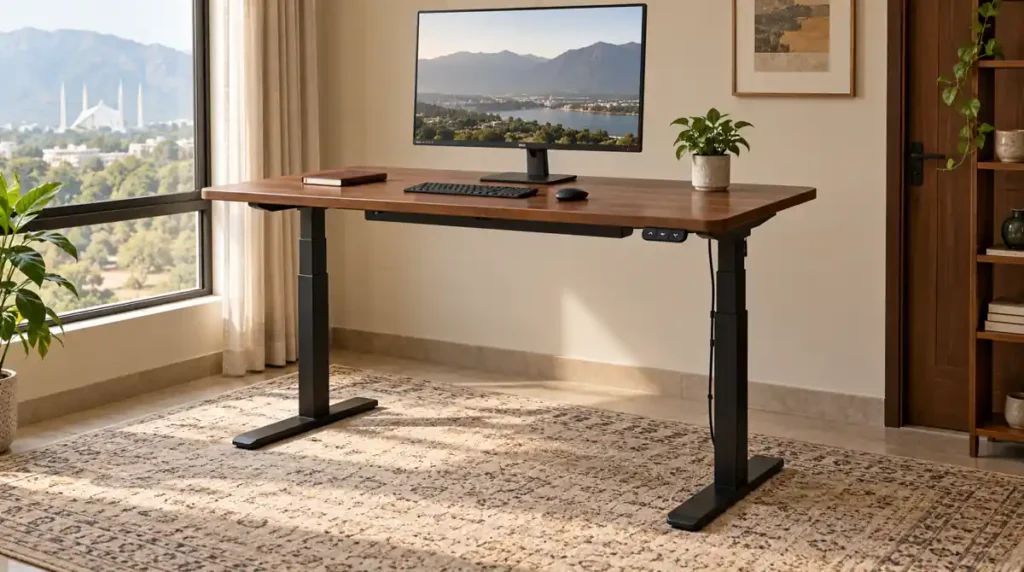
An adjustable standing desk lets you change the height of your work surface so you can work sitting down or standing up. The right model should fit you in both positions, hold your equipment securely and move without pulling cables or hitting nearby furniture.
That sounds simple until you start comparing desks. One listing includes a complete workstation, another sells only the lifting frame, and a third describes a small laptop table as a standing desk.
Before choosing a finish or counting memory buttons, check what you are buying and whether it suits your working day. This guide explains the measurements, mechanisms and practical details that matter when choosing a standing desk in Pakistan.
What Makes a Desk Suitable for Sitting and Standing?
A proper sit stand desk adjusts through a range that supports both seated and standing work. A tall fixed table gives you a standing surface, but it cannot necessarily lower to a comfortable typing height.
Likewise, a small height-adjustable laptop table may suit occasional use without providing enough space or stability for a full workstation.
Start with three questions:
- Can the desk reach your comfortable seated and standing heights?
- Does the surface hold your equipment without crowding it?
- Can you change position easily enough to use the adjustment regularly?
When comparing office furniture, look beyond the product name. Confirm the height range, desktop dimensions and adjustment method for the exact model.
Electric Desk, Manual Desk or Standing Desk Converter?
These options solve different problems. Choose according to your equipment, available space and how often you expect to adjust the desk.
| Type | How it works | Main advantage | What to check |
|---|---|---|---|
| Electric standing desk | Motors raise and lower the desktop | Convenient for regular adjustments | Height range, controls, power requirements and service |
| Manual standing desk | A hand crank changes the height | Adjustment without electricity | Crank access and effort with equipment installed |
| Standing desk converter | A platform sits on an existing desk | Keeps your current furniture | Added seated height, usable area and base stability |
| Adjustable laptop table | A smaller platform changes height | Compact option for limited tasks | Platform size, locking mechanism and load rating |
An electric model is worth considering if several people share a workstation or you expect frequent changes. A manual model may suit someone who prefers a simpler mechanism and does not mind using a crank.
A converter needs careful measurement. Even when lowered, it can raise the keyboard above the original desktop. If the existing desk already feels too high, adding a converter may make seated typing less comfortable.
Measure Your Working Height Before Buying
A desk’s minimum height deserves as much attention as its maximum.
A shorter user may struggle with a desk that does not lower sufficiently. A taller user may need more standing height than a compact frame provides. A model that suits one person may be unsuitable for another.
Find a comfortable seated position
Adjust your chair so your feet are supported and your shoulders can relax. Keep your elbows near your body and position the keyboard so your wrists remain reasonably straight.
Measure the resulting keyboard height from the floor.
Check your standing position
Stand in the footwear you normally use while working. Relax your shoulders and bend your elbows into a comfortable typing position. Measure again.
These measurements give you a starting point for comparing desks. Test the setup with your actual keyboard where possible; its thickness affects the height of your hands.
OSHA recommends relaxed shoulders, supported feet when seated, straight wrists and elbows close to the body. Individual adjustment matters more than copying another person’s desk setting. www.osha.gov
Confirm what the advertised height includes
Ask whether the published range measures the frame alone or the finished desktop. A tabletop, optional wheels or another accessory can change the final working height.
Do not order on the assumption that every seller measures the same way.
Choose Desktop Width and Depth Together
Width tells you how much equipment fits side by side. Depth affects the distance between you and the screen, along with the space available for your keyboard and forearms.
For example, two desktops may both measure 120 cm wide, but one could be much shallower. They will not necessarily support the same setup comfortably.
Lay out your equipment on your current table and measure the area it occupies. Include:
- Monitor bases or monitor-arm mounting space.
- Keyboard and mouse movement.
- Laptop, notebook or documents.
- Items you regularly reach for.
OSHA suggests placing the monitor directly ahead and at least 20 inches away, with the top of the screen at or below eye level. Screen size, vision and the task can affect the final arrangement.
If the desk will share a bedroom, also leave space for the chair, wardrobe doors and walking routes. Our small bedroom furniture guide explains how to plan several furniture pieces together.
Check Stability at the Height You Will Use
A desk can feel steady when lowered and less settled when raised. Assess it at your intended standing height with a realistic equipment load.
During a demonstration, type normally and watch the monitor. Check whether ordinary movement creates distracting screen shake. Ask the seller to show the exact frame and desktop combination you are considering.
Look for level feet, correctly assembled joints and a frame suited to the desktop dimensions.
A monitor arm adds another consideration. Its movement may contribute to screen shake, so check the arm, mounting point and desk together rather than blaming the lifting frame immediately.
Avoid treating phrases such as “heavy duty” as complete specifications. Ask what has been tested and under what conditions.
Understand Motors and Weight Capacity
Motor count is one specification, not a complete quality rating.
A dual-motor desk is not automatically the best choice for every buyer. Compare the actual lifting capacity, movement, height range, control system and support available for the model.
Also ask whether the weight rating includes the tabletop.
A simple load calculation
Imagine the following setup:
| Item | Illustrative weight |
|---|---|
| Desktop | 18 kg |
| Two monitors | 12 kg |
| Monitor arm | 4 kg |
| Laptop and dock | 3 kg |
| Other equipment | 3 kg |
| Total | 40 kg |
These are example figures, not measurements of a particular product.
If a frame’s stated capacity includes the desktop, all 40 kg must be considered. If the supplier uses another definition, get that explanation in writing.
Ask about the permitted load while moving, not just the weight the desk can support while stationary. Follow the manufacturer’s instructions on weight distribution, and never use the desk to lift a person.
Choose a Desktop That Works With the Frame
An attractive tabletop still needs to be compatible with the lifting system.
For a custom top, confirm the frame’s supported width, depth, thickness and fixing requirements. Check that the installer can mount the controls and accessories without weakening the surface.
Material descriptions also need clarification. A wood-effect finish does not necessarily mean solid wood.
Compare the surface finish, edge quality, cleaning requirements and suitability for your accessories. If you use a clamp-mounted monitor arm, check both the clamp’s requirements and the desktop manufacturer’s advice.
Our comparison of MDF and solid wood furniture explains why construction details matter alongside the material name.
Plan Cable Management Before the First Adjustment
A standing desk moves, but the wall socket and some of your equipment may stay in place.
Check every connection that crosses between moving and stationary parts. This includes monitor leads, laptop chargers, network cables and connections to a computer tower placed on the floor.
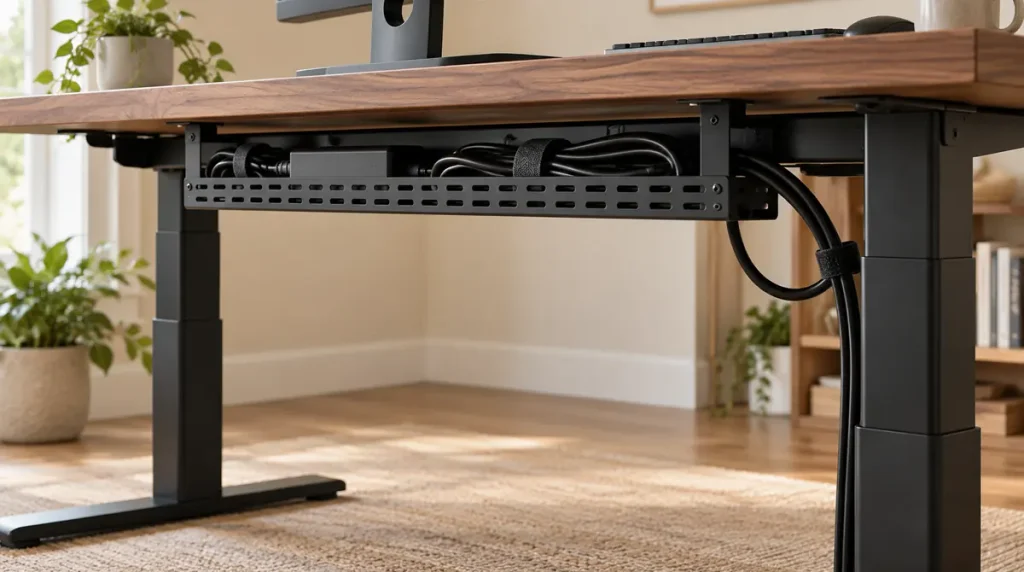
Leave enough cable slack for the desk’s full intended movement, while keeping loops away from feet and moving parts. A cable tray can organise the equipment beneath the desktop, but it does not replace checking each cable at both seated and standing height.
Raise and lower the desk slowly during the initial setup while watching the cable routes. Stop if a lead becomes tight, catches on the frame or pulls against a socket.
Follow the desk’s installation instructions for mounting electrical accessories. Keep power equipment ventilated and avoid creating a tangle that is difficult to inspect.
Which Extra Features Are Worth Paying For?
Useful features depend on how you work.
Memory presets save preferred heights. They can be convenient when alternating positions or sharing a desk.
A control lock can reduce accidental operation. Ask how it activates and whether it remains active after a power interruption.
Collision detection may stop movement when the system detects an obstruction. It is an additional safeguard, not permission to leave drawers, chairs or other objects in the desk’s path.
Cable trays and access openings can simplify organisation, provided they fit your equipment and remain accessible.
Before paying for an accessory package, ask which parts are included and which cost extra. A basic desk with the right dimensions may serve you better than a feature-heavy model that does not fit.
Standing Desk Price in Pakistan: Compare the Complete Cost
There is no single useful price without knowing what the package includes.
During research on 24 October 2026, a Maximustronics listing displayed an electric frame at Rs.60,000 and explicitly excluded the wooden top. Interwood displayed a complete height-adjustable desk at Rs.114,000.
These are two advertised examples, not a market-wide price range or a recommendation. Availability, selected variants and prices can change.
A frame-only option may require a separate budget for:
- A compatible tabletop.
- Finishing and edge work.
- Assembly and fixing.
- Cable-management accessories.
- Delivery and handling.
Compare written totals for equivalent packages. Ask whether taxes, installation and delivery to your floor are included.
A low frame price can be misleading if the finished workstation costs considerably more than expected.
Ask About Power and Local Service
For an electric standing desk in Pakistan, confirm the power requirements of the exact unit supplied.
Ask what happens during a power cut, whether stored heights are retained and whether a reset is required afterwards. Do not assume that a manual crank is available as a backup on an electric model.
If you intend to use a UPS, obtain compatibility advice based on the desk’s electrical specifications. A unit suitable for a laptop is not automatically suitable for a lifting motor.
Before buying, also ask:
- Can the seller supply a replacement controller or power unit?
- Who diagnoses a fault?
- Is support available in your city?
- Would the complete desk need to be transported for repair?
- What are the written service terms and possible charges?
These questions are particularly useful when comparing imported frames with locally supported options.
Set Up the Desk for Everyday Work
Adjust the desk around the task instead of repeatedly changing your posture to reach the equipment.
Keep the keyboard and mouse close enough to use without stretching. Place the main screen ahead of you, and adjust its position separately from the desktop where needed.
For longer laptop sessions, an external keyboard and mouse can let you raise the screen without raising your hands with it. Check the final setup rather than assuming a laptop stand solves every positioning issue.
Do not turn standing into an endurance target. CCOHS advises alternating positions, allowing time to adapt and continuing to take breaks away from the computer. Standing too long can also cause discomfort.
A sit stand desk provides another working position. It does not replace movement or provide a guaranteed treatment for back pain.
Check the Desk Before Accepting the Setup
Once assembled, inspect the finish and ask for a demonstration before placing all your equipment on it.
Confirm that the frame is level, the controls work and the desktop moves through the required range without touching surrounding furniture.
Check the clearance beneath shelves and beside windowsills. Move any storage unit that could obstruct lowering.
Keep the manual and product identification details. If an error appears later, use the model’s instructions rather than copying a reset sequence from an unrelated desk.
For routine care, follow the recommended cleaning method, keep liquids away from controls and inspect cable routes after changing equipment. Tighten fittings only as directed by the manufacturer.
Questions to Ask Before Ordering
Send the seller a short specification request:
Please confirm the finished minimum and maximum height, desktop dimensions and material, lifting capacity and whether it includes the top, motor configuration, included accessories, power requirements, delivery and assembly cost, and local service arrangements.
Then explain your own setup: number of screens, approximate equipment weight, available room space and whether more than one person will use the desk.
A clear written reply is easier to compare than several product photographs and a general promise of quality.
Frequently Asked Questions
Is an electric standing desk better than a manual desk?
It is usually more convenient to adjust, but suitability depends on the model and your routine. A manual desk may work well if its crank is easy to use and its height range fits you.
What is the correct standing desk height?
There is no single height for everyone. Use your comfortable typing position as a starting point, with relaxed shoulders, elbows near your sides and reasonably straight wrists.
Can I use my existing tabletop?
Possibly. Check its dimensions, weight, condition and fixing requirements against the frame’s instructions before ordering. Do not assume any tabletop will fit any lifting frame.
Is a standing desk converter suitable for a small room?
It can be, but measure the complete footprint in both positions. Check whether its keyboard platform projects beyond the existing desk and whether the lowered height suits seated work.
Do I need a dual-motor desk for two monitors?
Not necessarily. Compare the actual equipment load and model specifications. Monitor size, arm weight, desktop weight and stability matter more than the number of screens alone.
Can a standing desk help with back pain?
It allows you to vary your working position, but it is not a guaranteed treatment. Persistent pain needs appropriate assessment, and the chair, screen, working habits and overall setup also matter.
What should I prioritise if my budget is limited?
Prioritise fit, a suitable desktop, stable operation and clear service arrangements. Add decorative accessories after confirming that the basic workstation meets your needs.
A useful adjustable standing desk is one you can sit at comfortably, stand at comfortably and adjust without rearranging the room. Start with those requirements, then compare finishes and extra features.